
Download Ashampoo Office 9 – Office Suite, Word Processor, Spreadsheet, Presentation Software, Document Editor, Data Analysis, Multi-lingual Support, MS Office Alternative
Overview
Ashampoo Office 9 is a comprehensive productivity suite designed as a robust alternative to Microsoft Office, offering seamless compatibility with Office 365 and Office 2019 formats. This application enables users to create, edit, and manage documents, spreadsheets, and presentations with professional-grade tools. Its primary purpose is to provide a reliable, cost-effective solution for individuals and organizations seeking a powerful yet accessible office environment without relying on proprietary software. The suite addresses common pain points such as file incompatibility, limited formatting options, and high subscription costs, making it particularly valuable in both personal and professional settings.
Target users include students, freelancers, small business owners, and teams requiring consistent document handling across different platforms. The inclusion of multi-lingual spellchecking and improved layout tools supports international collaboration and diverse language use. Real-world applications range from academic writing and financial modeling to business presentations and internal reporting. In the broader app ecosystem, Ashampoo Office 9 fills a niche for users who desire full functionality without the need for cloud subscriptions, positioning itself as a standalone, self-contained productivity tool. The developer, Ashampoo, is known for delivering feature-rich software with a focus on usability and compatibility.
Key Features & Functionality
- Seamless MS Office Compatibility: Fully supports .docx, .xlsx, and .pptx file formats, enabling smooth file exchange with Microsoft Office users. This ensures no data loss or formatting issues when sharing documents across teams.
- Enhanced Document Creation with Write: The word processor allows users to draft complex documents, from simple letters to lengthy theses, with intuitive formatting tools and real-time layout adjustments.
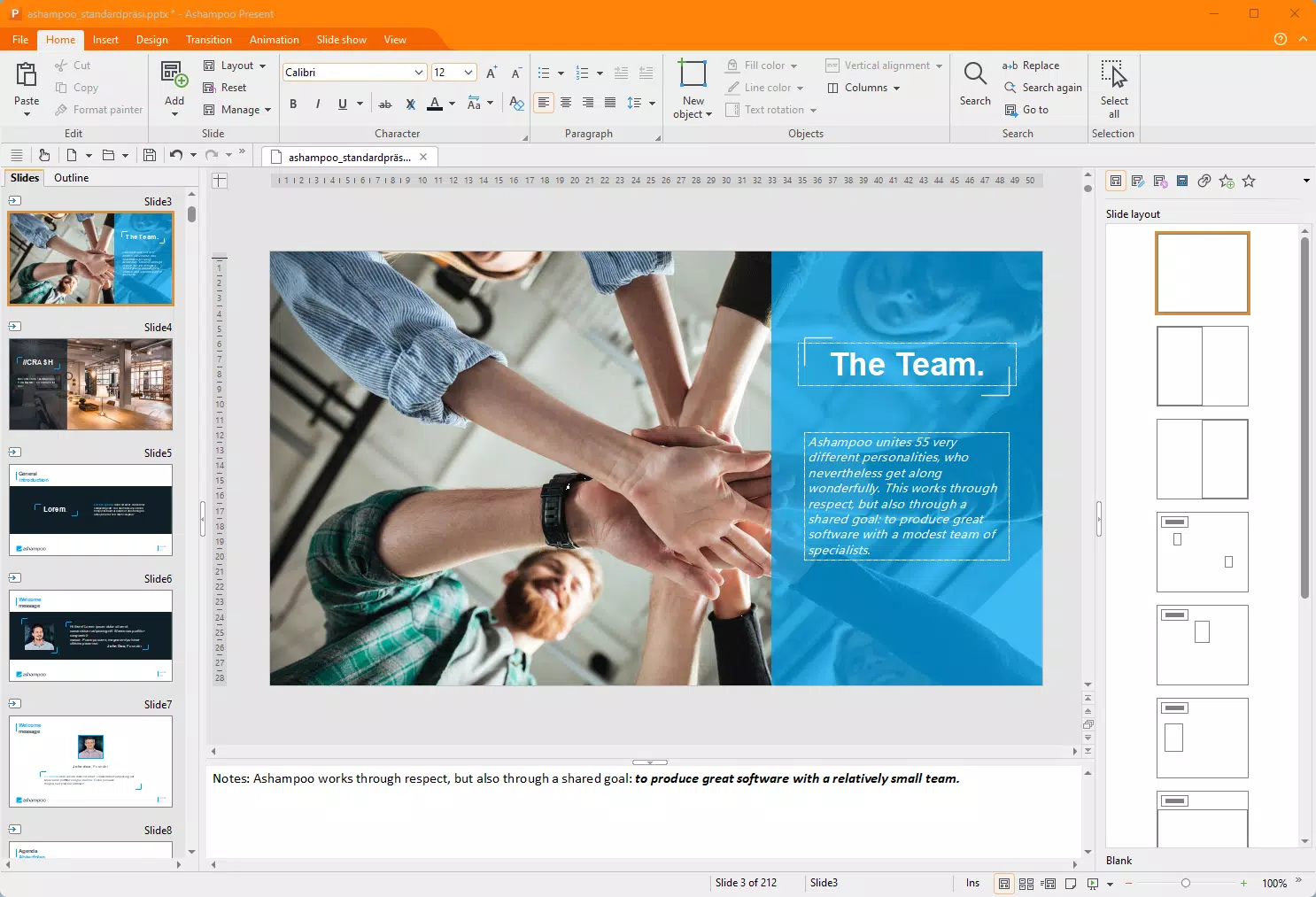
- Dynamic Presentations with Present: Offers advanced animations and transitions compatible with PowerPoint, allowing users to deliver visually engaging presentations while maintaining cross-software accessibility.
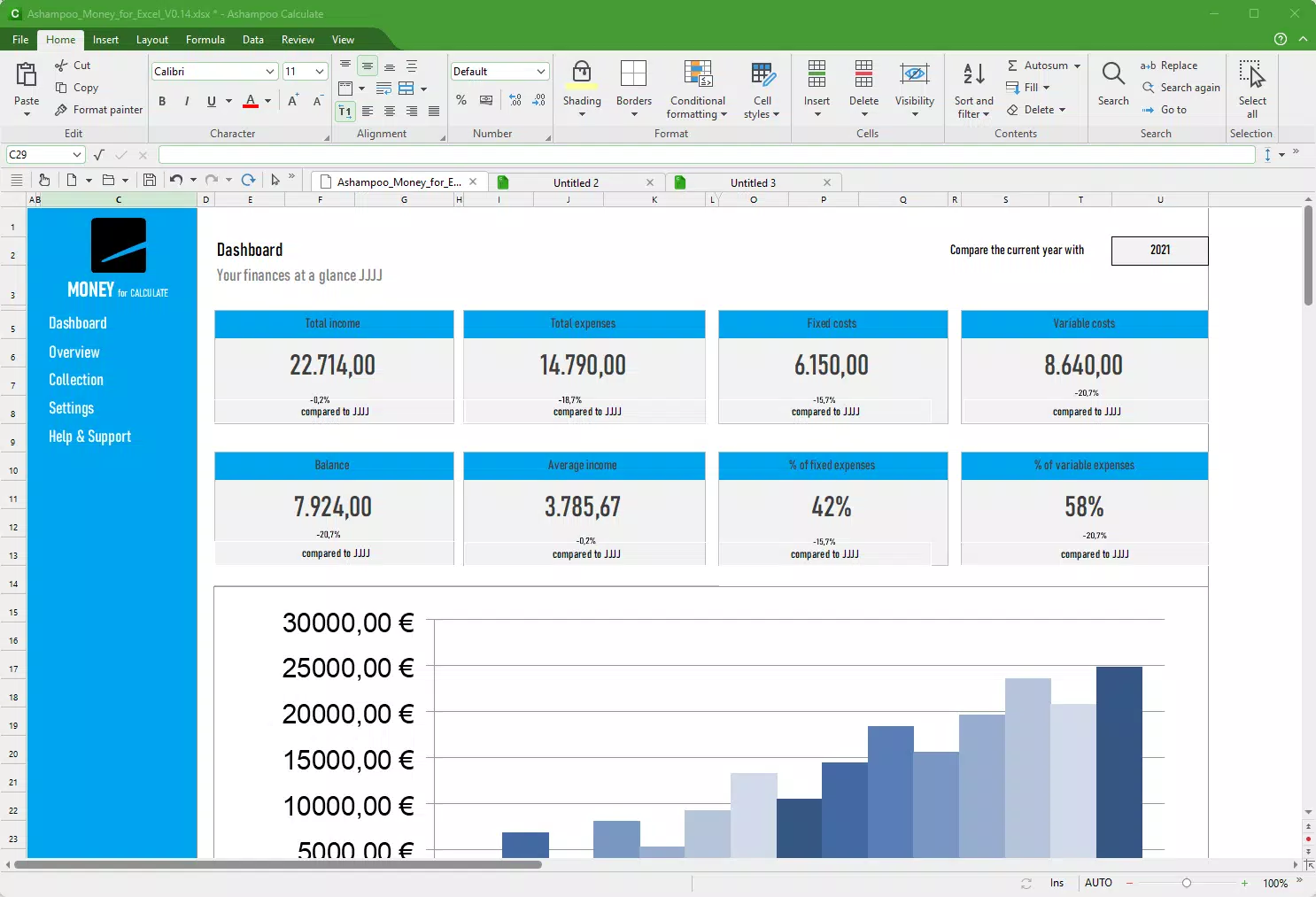
- Advanced Spreadsheet Capabilities: The spreadsheet tool supports complex calculations, chart generation, and direct import/export of SQLite databases, expanding its utility for data-driven workflows.
- Improved Multi-lingual Spellchecking: Ensures accurate grammar and spelling across multiple languages, supporting global teams and multilingual content creation with confidence.
For example, a university student can use Write to draft a multilingual research paper with automatic spellcheck in both English and German. A small business owner might use the spreadsheet module to analyze sales data and export results to a database for long-term tracking. These features collectively enhance efficiency, reduce errors, and improve the quality of output across diverse use cases.
Interface, UX & Performance
The interface of Ashampoo Office 9 offers both modern and traditional layout options, allowing users to choose their preferred workflow. The design emphasizes clarity and accessibility, with toolbars and menus organized logically for quick access to core functions. Navigation is straightforward, with consistent menu placement and contextual help available during document creation. The visual style is clean and professional, minimizing distractions while maximizing focus on content.
Although the developer did not list formal performance metrics, the application appears optimized for typical desktop workloads. Users can expect responsive interactions when editing text, adjusting layouts, or generating charts. Stability during extended use has been reported positively in user feedback, with minimal crashes or freezes.
The application maintains smooth performance across various hardware configurations, though specific requirements were not disclosed. Responsiveness remains consistent even with large documents or complex spreadsheets. The overall user experience is polished, reflecting attention to detail in both layout and functionality.
Platform Compatibility & Technical Requirements
Ashampoo Office 9 is available exclusively for the Windows platform. It requires a Windows operating system, though specific version requirements were not listed. The application has a file size of 326.8 MB, which is relatively compact for a full office suite.
This makes installation straightforward on systems with moderate storage capacity. The software is distributed as a standalone installer, eliminating the need for constant internet connectivity after setup. While compatibility with older Windows versions was not specified, the application is designed to run efficiently on modern Windows environments.
The developer did not provide additional technical details such as minimum RAM, processor speed, or disk space requirements. Users are advised to ensure their system meets general Windows application standards. No cloud-based dependencies were identified, reinforcing the suite’s offline usability. This independence from online services may appeal to users prioritizing data privacy and system autonomy.
Pros and Cons
Pros
- Full compatibility with Microsoft Office file formats (.docx, .xlsx, .pptx)
- Intuitive interface with customizable layout options
- Supports multi-lingual spellchecking for international use
- Advanced spreadsheet functions including SQLite database integration
- Offers dynamic slide transitions compatible with PowerPoint
- Standalone installation with no recurring subscription fees
Cons
- Platform limited to Windows; no support for macOS, Android, or iOS
- Specific system requirements were not disclosed
- No cloud sync or collaboration features mentioned
- Limited information on update frequency or support lifecycle
- Not available as a free version or trial; purchase required upfront
FAQ
Is Ashampoo Office 9 compatible with Microsoft Office files?
Yes, Ashampoo Office 9 supports all major Microsoft Office file formats, including .docx, .xlsx, and .pptx, ensuring seamless file sharing and collaboration.
Can I use Ashampoo Office 9 on macOS or Linux?
Currently, Ashampoo Office 9 is only available for Windows. There is no official support for macOS, Linux, or other operating systems.
Does Ashampoo Office 9 require an internet connection to function?
Once installed, the application operates offline. Internet access is only required for initial setup or potential updates, if available.
Is there a free version or trial of Ashampoo Office 9?
The developer did not provide information about a free version or trial. The app is available for a one-time purchase of $19.99.
How often are updates released for Ashampoo Office 9?
Specific update frequency was not disclosed. Users should check the official website for the latest version and release notes.
Final Thoughts + CTA
Ashampoo Office 9 stands out as a capable, no-frills alternative to Microsoft Office, particularly for users seeking full compatibility without subscription costs. Its strong support for multi-lingual documents, advanced spreadsheet features, and professional-grade presentation tools make it ideal for students, freelancers, and small businesses. The clean interface and responsive design enhance productivity, while the lack of cloud dependencies appeals to privacy-conscious users.
While it lacks cross-platform availability and trial access, its value lies in reliability, functionality, and affordability. For anyone looking to switch from Microsoft Office or reduce software expenses, Ashampoo Office 9 delivers solid performance and professional results. Download Ashampoo Office 9 now.


